GoDash
Your whole drive on one dashboard.
An iOS app I designed and built. It turns an iPhone in a hands-free car mount into a dash cam that also handles navigation, music, and live vehicle telemetry, without switching apps at 70 mph.
01 Overview
A drive normally involves three or four apps fighting for the same screen: a dash cam in the background, maps in the foreground, music underneath, none of them aware of each other. GoDash collapses that into one interface built around a single rule: nothing on screen should require more than a glance.
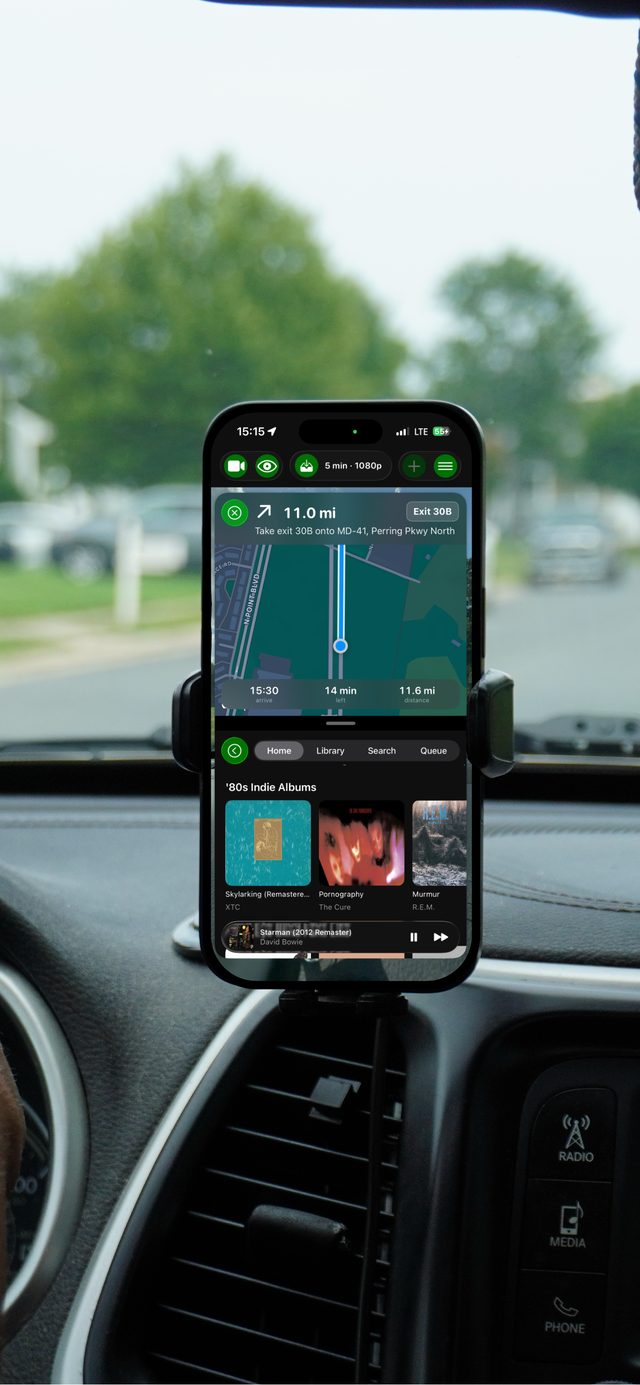
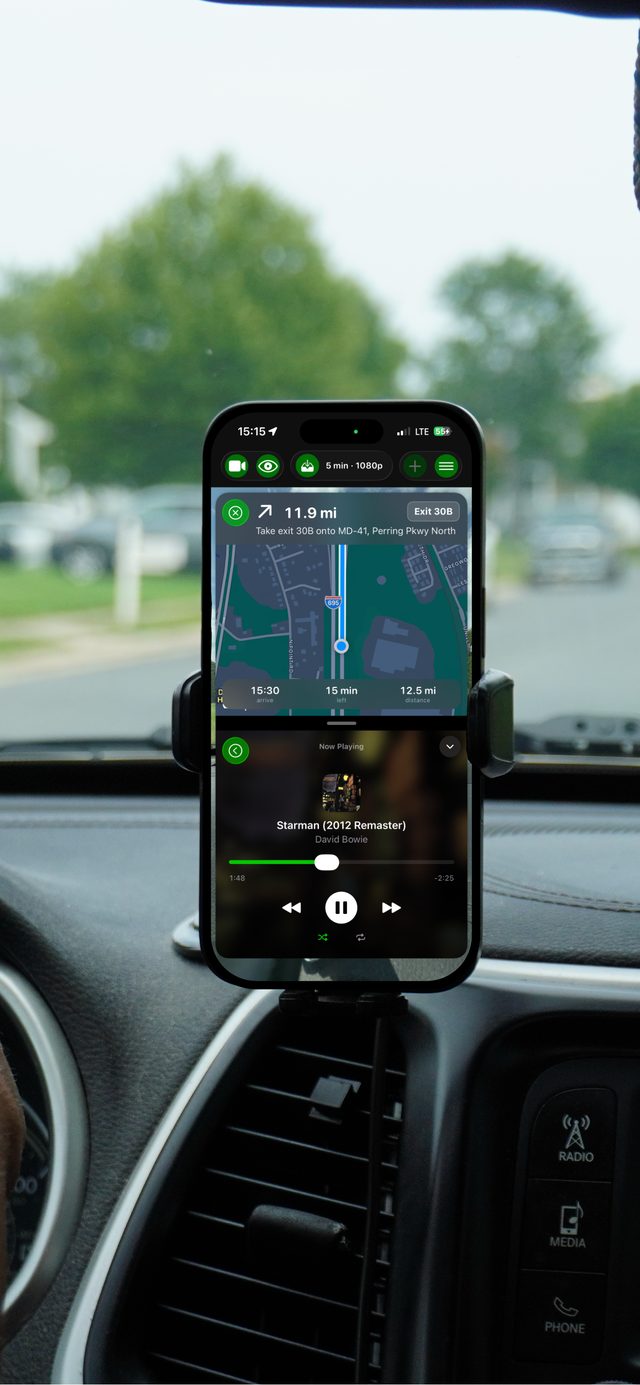
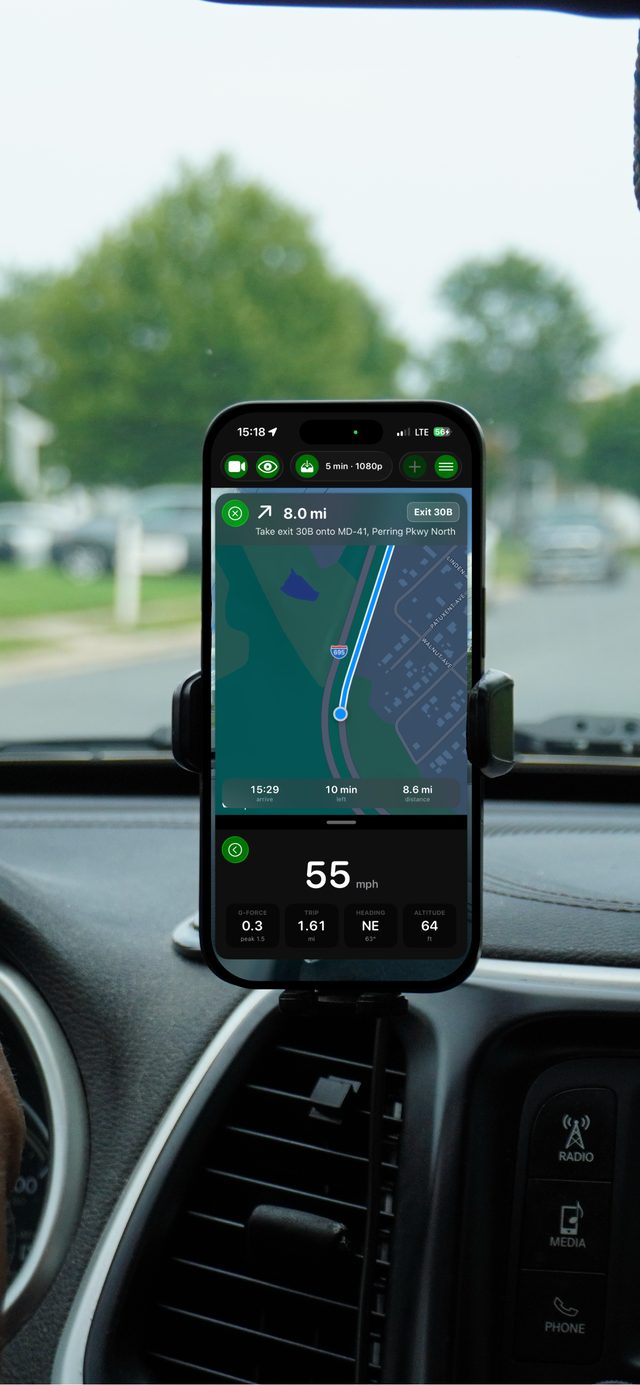
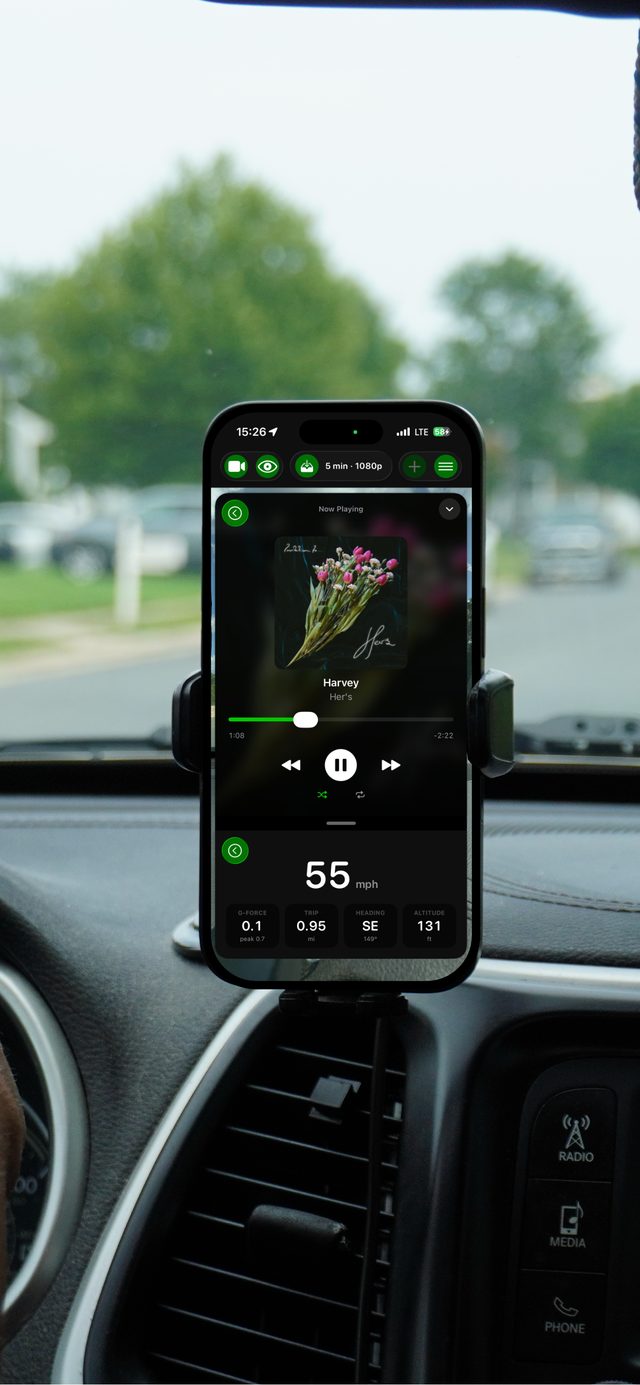
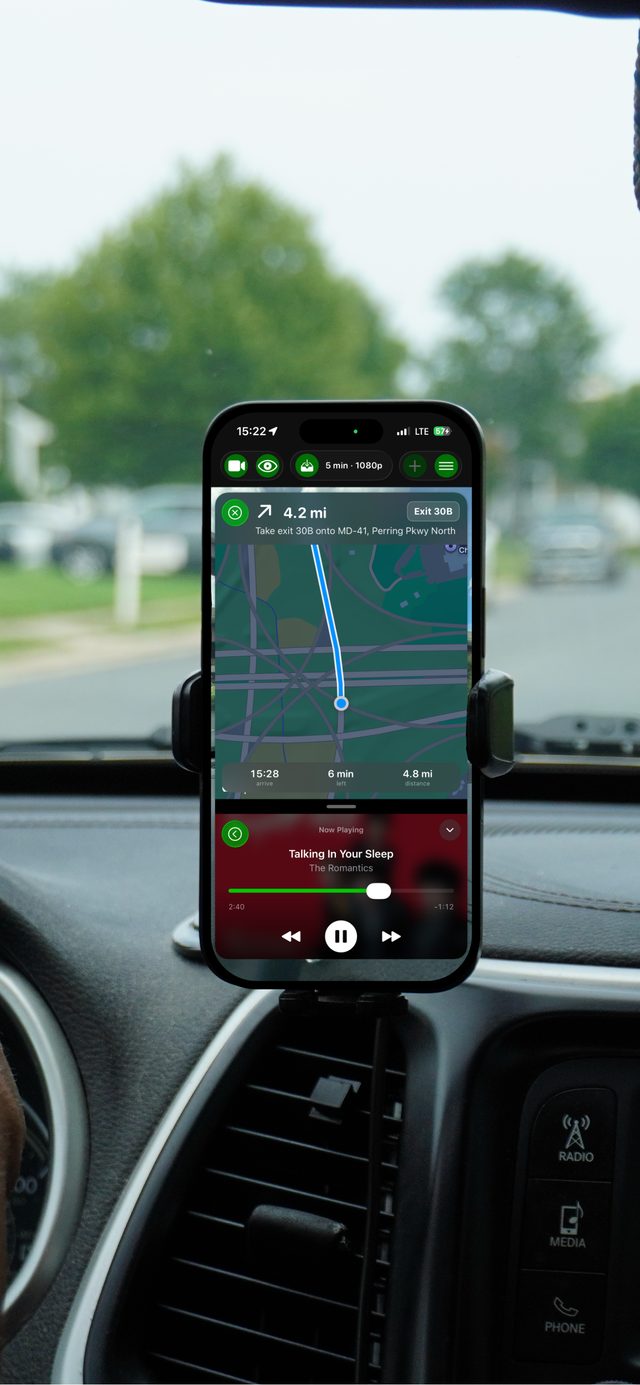
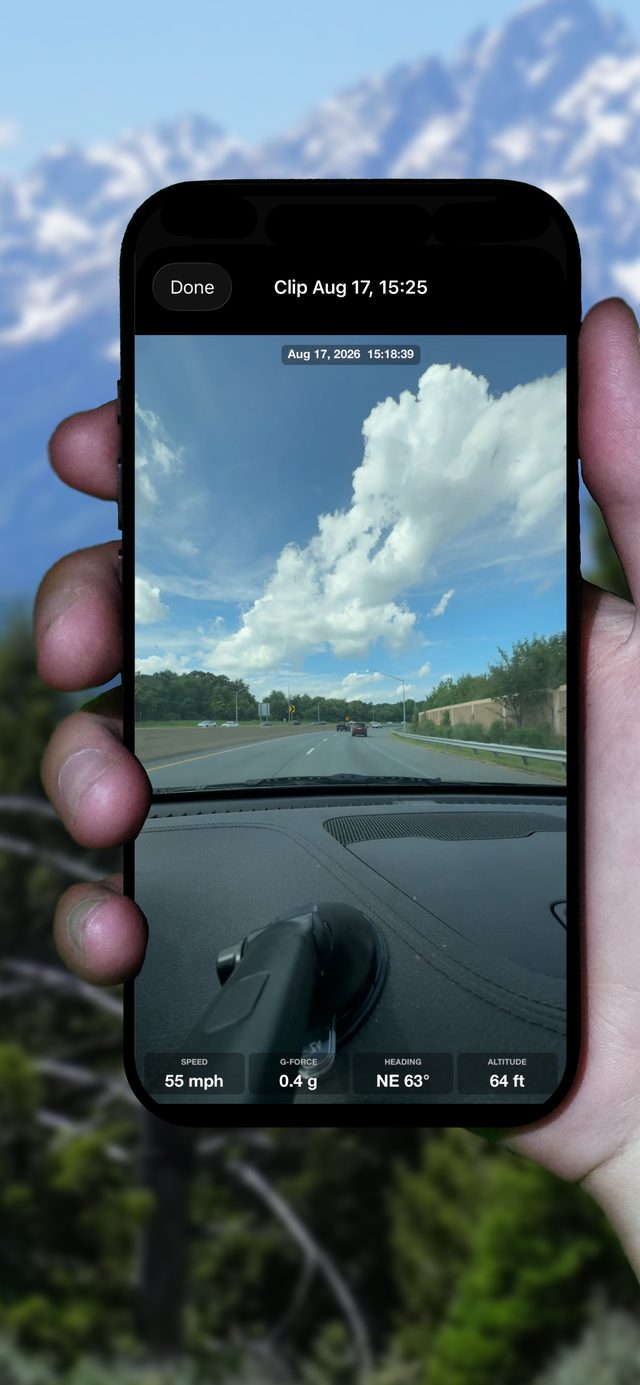
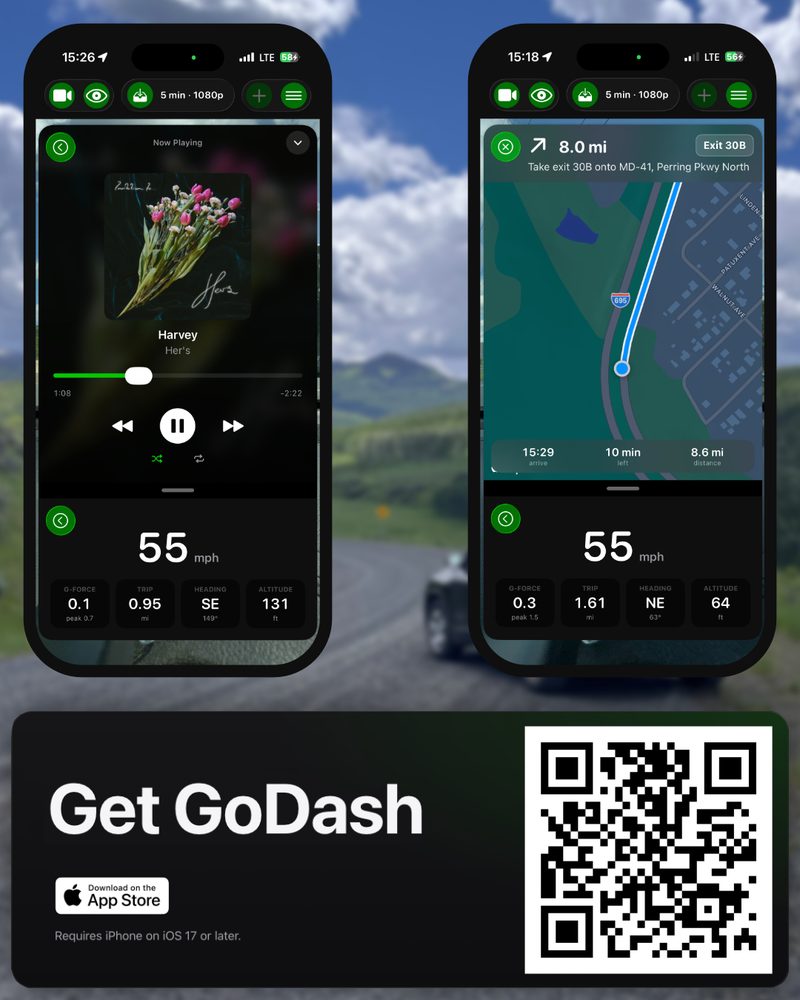
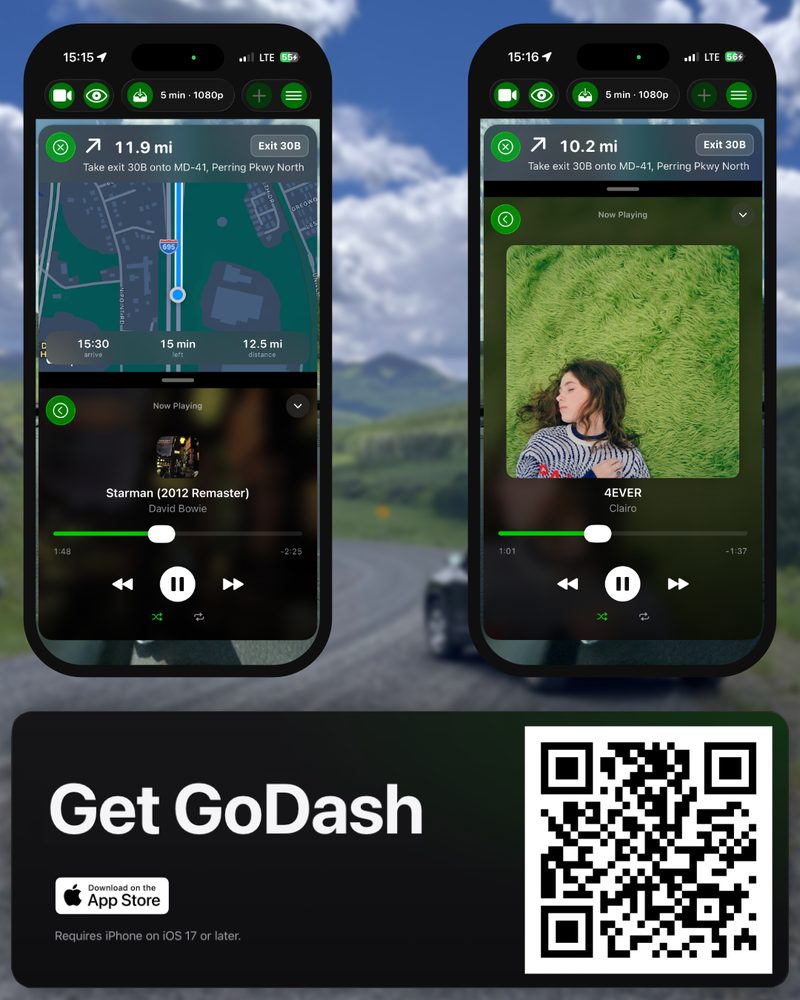
The rear camera records continuously into a rolling buffer. Navigation and music sit in half-screen modules that can be open at once, so what you need next is already visible. Under both, a persistent readout shows speed, g-force, heading, altitude, and trip distance, sampled live and burned into saved footage.
Free with basic recording. GoDash Pro unlocks higher resolution, longer loops, the telemetry overlay, and crash detection.
- Role
- Sole designer and developer
- Platform
- iPhone, iOS 17+
- Language
- Swift · SwiftUI
- Frameworks
- AVFoundation · CoreMotion · CoreLocation · MapKit · MusicKit · Photos
- Status
- Shipped, in active development
- Privacy
- Recordings, telemetry, and account details stay on device
02 Features
Loop recording
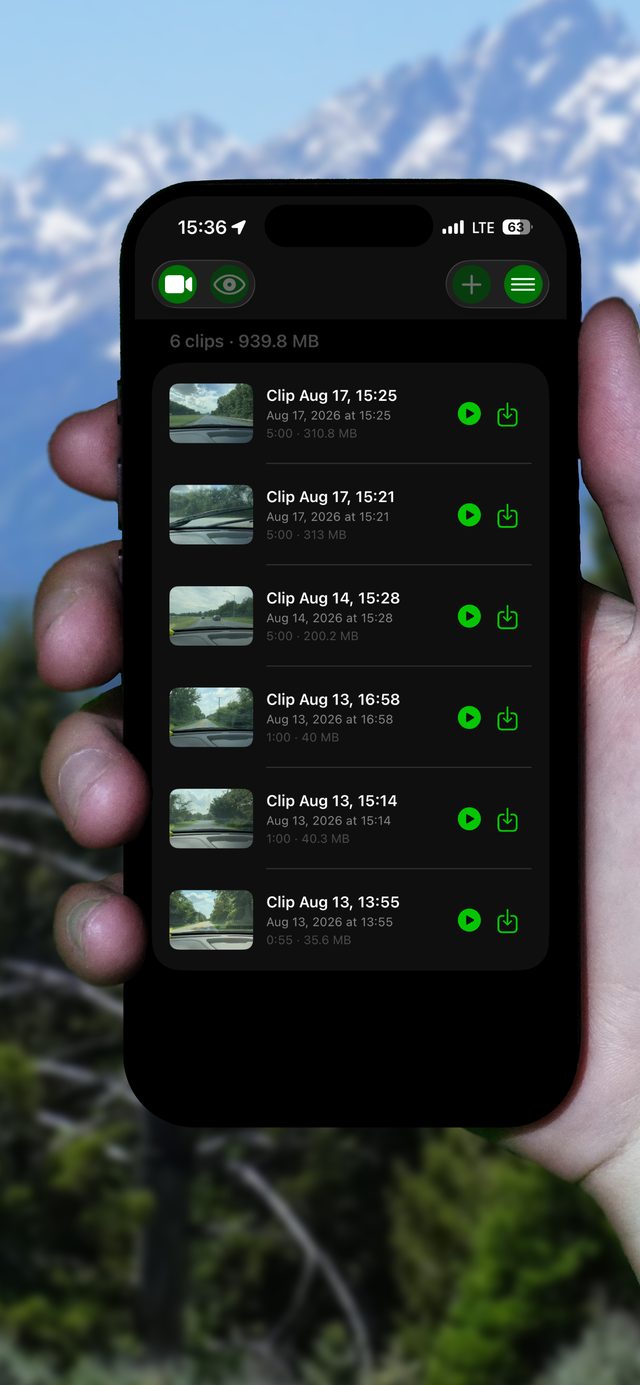
A rolling buffer holds up to ten minutes of driving. One tap writes it to the device as a permanent clip. No scrubbing, no file management, no waiting until you get home.
Live telemetry overlay
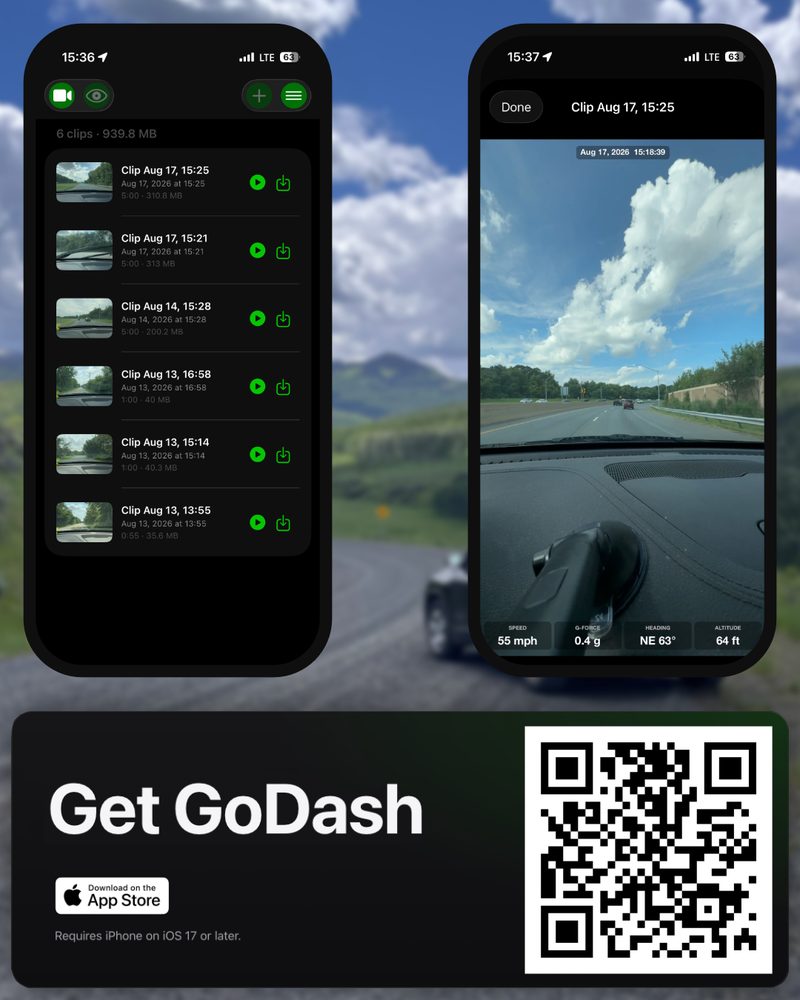
Speed, g-force, heading, altitude, and trip distance are sampled while you drive and composited onto saved clips, so the footage carries its own context.
Turn-by-turn navigation
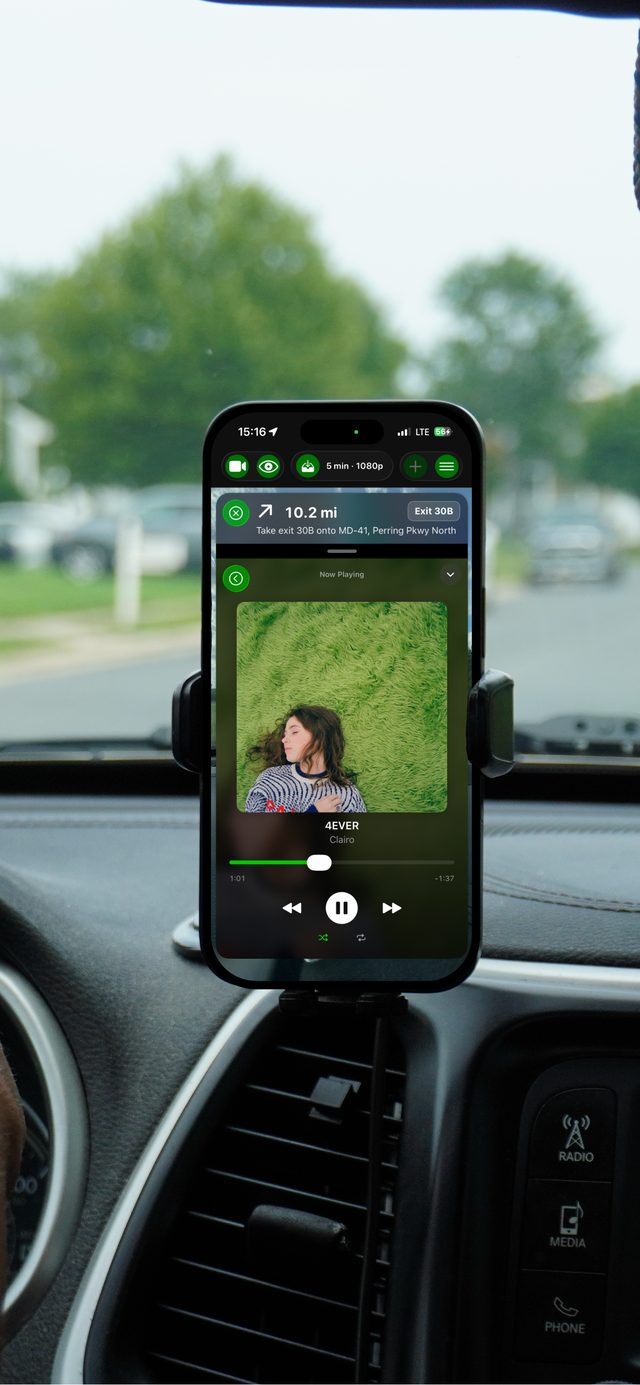
Apple Maps directions run in a module, not another app. Full-height for the route, collapsed to one instruction card when you do not need it.
Apple Music, in place
Browse, play, and skip without leaving the recording session. Pairs with navigation so both are on screen at once.
Crash detection
Motion thresholds for collisions and hard braking preserve the footage from before, during, and after the event, saved without you touching the phone.
Clips & export
Saved clips are organised chronologically, with in-app playback and one-step export to Photos.
03 How it works
The recording pipeline
Capture runs off the rear camera through AVFoundation into a fixed-length ring of video segments. Old segments are discarded as new ones are written, so storage stays bounded no matter how long the drive is. A save stitches the ring into one clip: the ten minutes leading up to the moment you wanted them.
Telemetry
CoreMotion supplies acceleration for g-force, CoreLocation supplies speed, heading, and altitude. Samples are timestamped against the capture clock so the overlay lines up with the frame it describes instead of drifting across a long clip.
The module system
The interface is a stack of resizable modules, not a set of screens. Navigation and music each render at full or compact height, and any pairing is reachable in one gesture. This is the part I have iterated on most. The target: a driver can restore the layout they want by feel, without reading the screen.
Crash detection
A motion threshold on sustained deceleration and impact-scale acceleration flags an event. The buffer around it is locked and written out immediately, before the ring can overwrite the segments that matter.
04 In the car
Shot on a hands-free mount during real drives. Select an image to enlarge.
05 Press kit
→ Get GoDash
Free on the App Store
Basic recording is free. GoDash Pro unlocks higher resolution, longer loops, telemetry overlays, and crash detection. Requires iOS 17 or later.
Scan to install